Building Your First RAG System
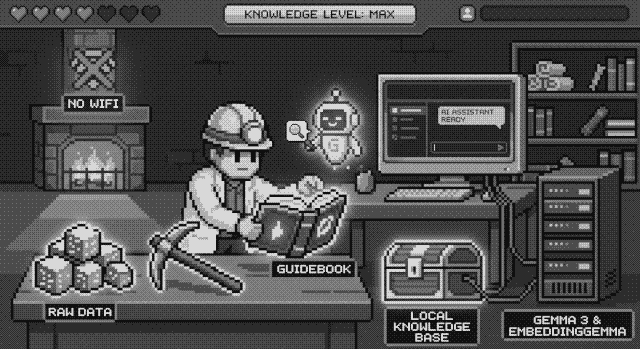
💎 From Mining Ores to Mining Insights#
Whether you are navigating the underground biomes of Core Keeper or the complex spreadsheets of a small business, “information overload” is the final boss.
A RAG (Retrieval-Augmented Generation) system is like giving an AI a specialized guidebook. Instead of relying on its general training, the AI looks at your specific data-like a game wiki, your research notes, or legal contracts-to give you pinpoint-accurate answers.
Here is how to build a private, local knowledge base using Gemma 3 4B and EmbeddingGemma.
🛠️ The “Crafting” Station (Your Tech Stack)#
To build this, we’re using a “Local-First” approach. This means your data never leaves your computer-perfect for keeping your secret base coordinates (or private client info) safe.
- The Brain (LLM):
gemma3:4b- Google’s compact, highly efficient model. - The Librarian (Embedder):
embeddinggemma- A specialized model that “indexes” your data so it can be searched. - The Server: Ollama - The engine that runs these models on your machine.
- The Interface: AnythingLLM - A user-friendly app that looks like a chat window but handles all the heavy lifting of document storage.
NOTE: One of the best things about local AI in 2026 is that the tools are “plug-and-play”. You can mix and match your server and UI depending on your technical comfort level. For example, you can use LM Studio instead of Ollama, or use Open WebUI instead of AnythingLLM. Experiment with different tools to see which one fits your style best!
📖 Step 1: Gathering Your Materials#
First, identify the “Source of Truth”.
- For the Gamer: Use the Core Keeper Wiki to track boss strategies and crafting recipes.
- For the Professional: This could be a folder of PDFs, project logs, or even a specialized website.
⚙️ Step 2: Set Up the Workshop (Ollama)#
(Quick tip: You’ll want about 8GB of VRAM to run a 4B model like this smoothly!)
Download Ollama and run these two commands in your terminal to download the models:
# Download the language model
ollama pull gemma3:4b

# Download the embedding model
ollama pull embeddinggemma
🖥️ Step 3: Configuring the Interface (AnythingLLM)#
Open AnythingLLM and follow these steps to link your models:
- LLM Settings: Set the provider to Ollama and choose
gemma3:4b. This model acts as the “speaker” that will read the retrieved context and formulate the final answer for you. - Embedder Settings: Choose Ollama and select
embeddinggemma. This model is a dedicated, high-performance embedding model that acts as your “search engine”. - Upload: Create a “Workspace” and drop in your files (e.g., Core Keeper wiki pages or your work documents). Click “Save and Embed.”
⚔️ Step 4: Using Your Knowledge Base#
Now you can chat with your data.
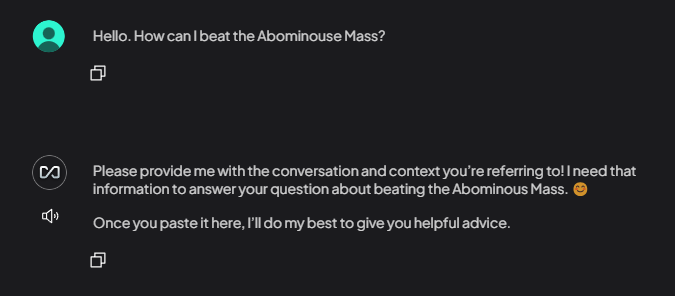
- Game Query: “How can I beat the Abominouse Mass?”
- Work Query: “Summarize the main clauses in the Q3 marketing contract.”
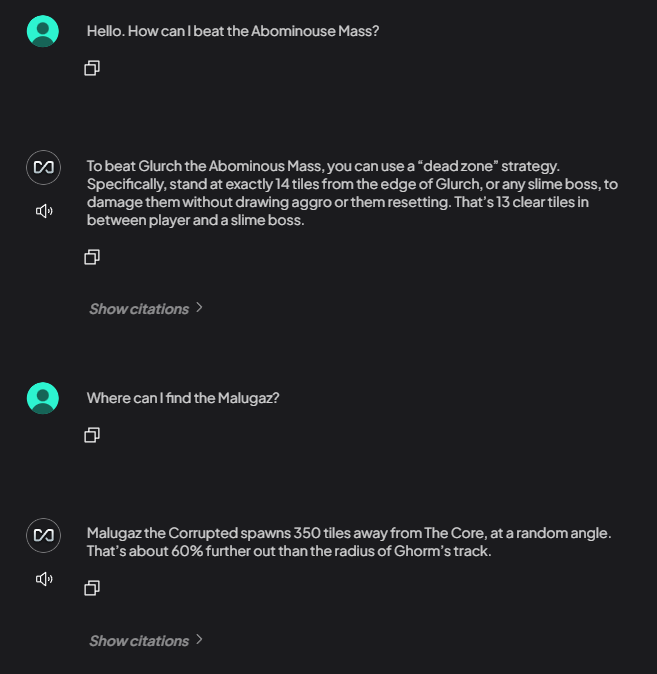
Gemma 3 4B doesn’t just “guess”, it retrieves the specific text from your files and explains it to you.
See the difference between asking the AI before having your knowledge base, and after:
- Before: Show the AI giving a generic, vague, or incorrect answer without context.
- After: Show the AI giving a precise, accurate answer, with a citation back to your uploaded document.
👨🏻💻 Applying it to Your Data#
By building this yourself, you aren’t just a user of AI-you’re an architect. Whether you’re optimizing a game run or a business workflow, you now have a 100% private, offline assistant that knows exactly what you know.
While we’ve been using Core Keeper as an example, this “build” is a lifesaver for professional field work:
- For Field Researchers: Imagine you are in a wild, remote region with zero internet access. You can feed the AI your entire library of botanical guides, previous expedition logs, and geological maps before you leave.
- For Writers: Feed it your draft chapters to check for world-building consistency without uploading your IP to a cloud.
- For Home Chefs: Turn a messy folder of recipe screenshots into a searchable “Digital Cookbook”.
The Big Win: Because you are using Gemma 3 4B and EmbeddingGemma locally, your system is 100% OFFLINE. Your data never leaves your machine, making it the perfect companion for researchers in the field who need instant answers without a satellite link.